ogma — User Guide
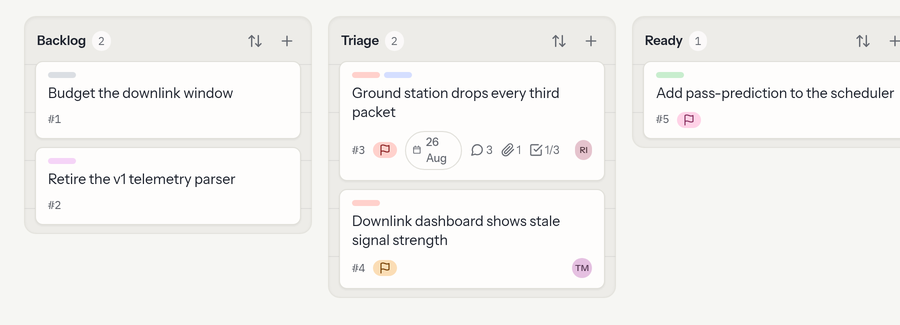
ogma is a simple, fast kanban app. You organize work into projects;
each project is a board of columns holding cards. Cards carry a
description, comments, labels, due dates, an assignee, checklists, and file
attachments — with @mentions, a per-card activity history, and a
notifications inbox — and everything updates live for everyone looking at the
board.
This guide is for people using ogma day to day. If you run the server,
see the project README for setup and configuration.
Contents
- Getting started — signing in and your first project
- Projects & boards — columns, cards, drag & drop, search & filter, live updates
- Card details — the card panel: description, assignee, labels, due dates, checklists, activity, pinning, sending photos from your phone, live updates, archiving
- Writing & mentions — the editor, formatting,
@people and#cards, shortcuts - Comments & attachments — discussing cards and attaching files
- Members & roles — inviting people and what each role can do
- Your account — profile, theme, and API tokens (on the account service)
- The API — automating ogma with a token
- For administrators — creating accounts and managing the system
A few things worth knowing up front
- You don't sign up — an administrator creates your account. You sign in with the email address they used; there's no password (see Getting started).
- Anyone with an account can create their own projects and invite others.
- Roles are per project. You might be an Owner of one board and a Viewer of another. See Members & roles.
- A bell in the top-right collects your notifications — when someone
@mentions you, assigns you a card, or comments on a card you're assigned. - My work (top navigation) gathers every card assigned to you across all your projects in one place.
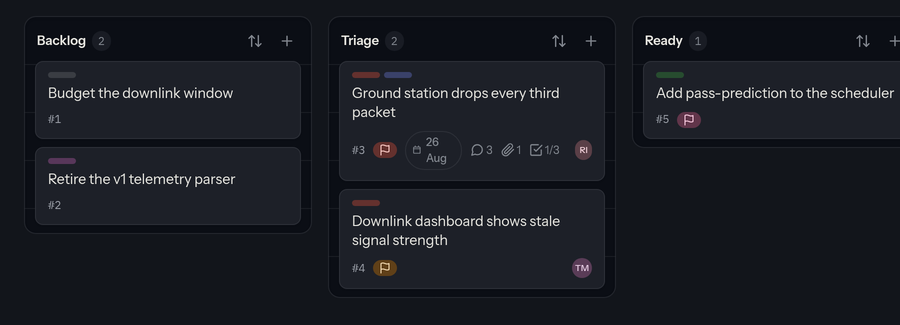
- Light or dark — toggle any time with the sun/moon button in the top-right.
- Automating with an LLM or agent?
/llms.txtis a single machine-friendly page with the full API reference.